Embedding an Interactive Timeline on Your Website in Under a Minute

Embedding an Interactive Timeline on Your Website in Under a Minute
Static images of charts and timelines are fine, but they make visitors squint. If the content you are presenting covers decades of history - say, every US president - a flat image either crams everything together or cuts details out. An interactive embed fixes that: visitors can zoom, pan, and click events right on your page, the same way they would on a map widget.
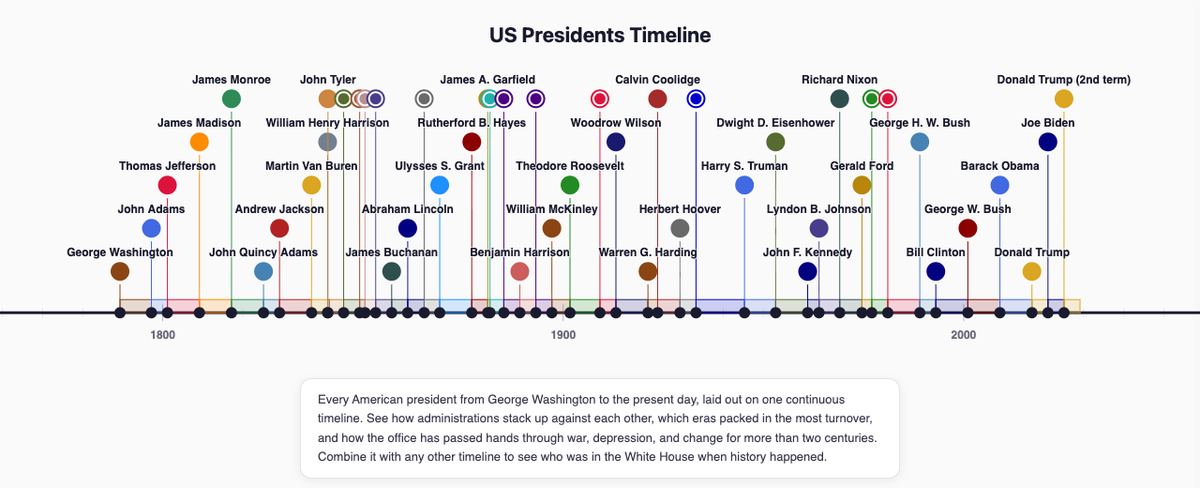
Here is a live example. This is the complete timeline of US presidents, embedded with a single line of HTML. Try scrolling to zoom, dragging to pan, and clicking any marker for details:
US Presidents Timeline - created with EasyTimelines
How it works
The timeline above is built and hosted on EasyTimelines.com. Every public timeline there has a Share button that hands you a ready-to-paste iframe snippet - the whole embed is one tag:
<iframe src="https://easytimelines.com/embed/dan/us-presidents-timeline"
  width="100%" height="480"
  style="border:1px solid #e2e2ea;border-radius:12px"
  title="US Presidents Timeline" loading="lazy" allowfullscreen></iframe>
<p style="font-size:12px"><a href="https://easytimelines.com/dan/us-presidents-timeline">US Presidents Timeline</a> - created with <a href="https://easytimelines.com">EasyTimelines</a></p>
No JavaScript to load, no plugin to install, no API keys. It works on WordPress (paste into a Custom HTML block), Shopify pages, static sites - anywhere you can paste HTML. The embed stays in sync with the source timeline, so when the owner adds or corrects an event, every site embedding it updates automatically.
Where this is useful
A few places we have seen interactive timelines earn their keep on client sites:
- Company history pages - a zoomable "our story" beats a wall of dated paragraphs.
- Project and case-study pages - show a build schedule or rollout as something a prospect can explore.
- Content and education sites - historical articles get a visual spine readers actually engage with.
- Product release histories - changelogs become something people scroll through instead of skip.
If you want help working interactive content like this into your own site - or building the site around it - that is exactly what we do.
Dan Kennedy - Owner, Summit Web Consultants